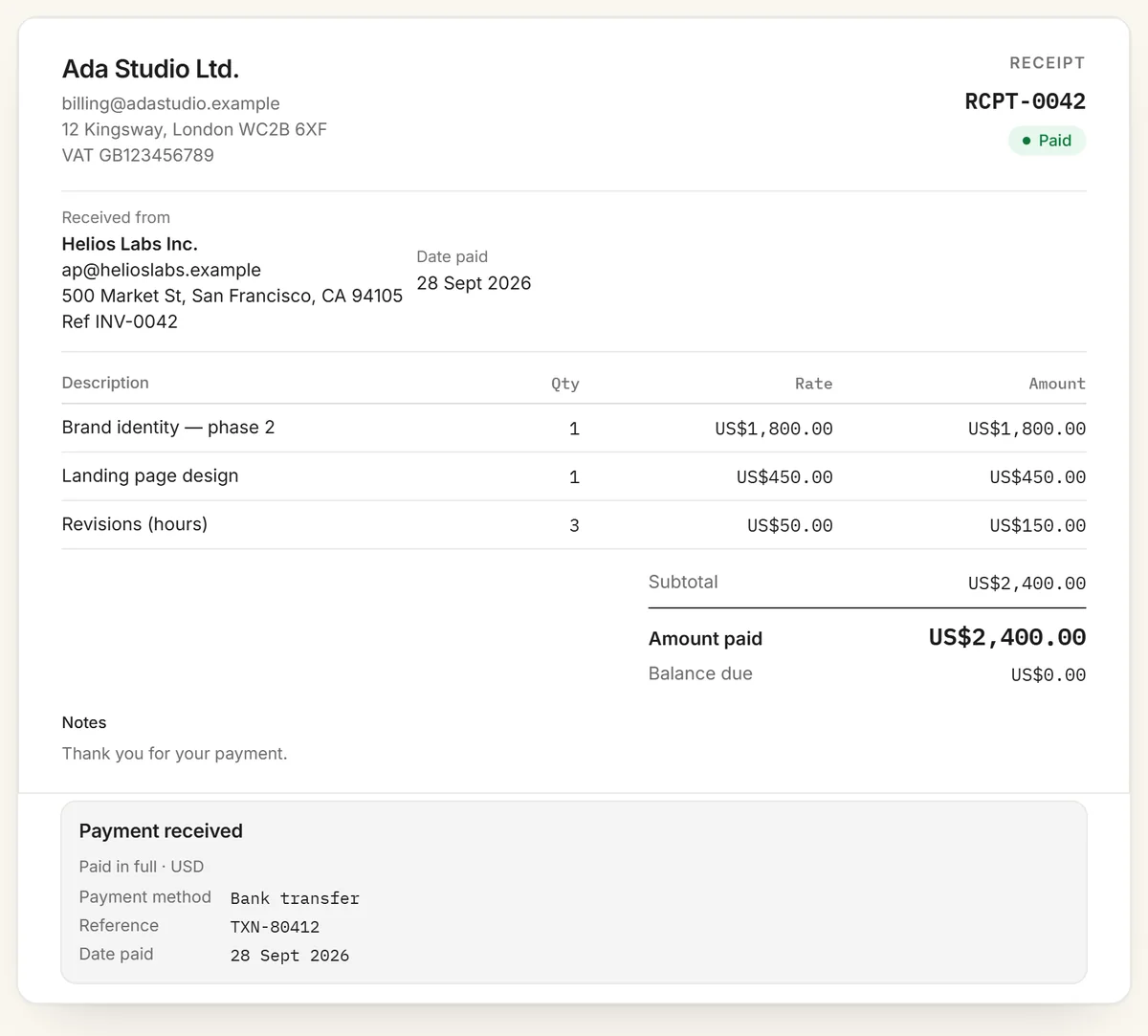
Make a professional receipt for a payment you've received, in about a minute. This free online receipt generator needs no signup, puts no watermark on the PDF, and has no limit on how many receipts you make. Fill in the details on the left and the receipt builds itself on the right, marked as paid. Download it as a PDF or send your customer a share link.
How to make a receipt
Add your business details. Name, email, address and tax or VAT number if you have one. Add a logo, or let auto-fill find it on your website.
Add the customer. Their name, and their email and address if they want a formal receipt. Quote their invoice or order number in the reference field.
Number and date it. Give each receipt a unique number and enter the date the payment arrived.
List what was paid for. One line per product or service, with quantity and price. Add tax or a discount under More options so the receipt matches what was charged.
Record the payment. Choose the payment method and add a transaction ID or reference, then download the PDF or copy a share link.
What to include on a receipt
The word "Receipt" and a unique receipt number, so both of you can refer to it later.
Your business name and contact details, plus your tax or VAT number if you're registered.
The customer's name, and their address if it's a business expense they'll claim.
The date of payment. This is the date the money arrived, which may not be the invoice date.
What was paid for: a line per item with quantity and price, and tax shown separately.
The total paid and the currency. RivitPay also shows a balance due of zero, so the receipt reads as paid in full.
How it was paid: cash, card, bank transfer or another method. For card payments, show at most the last four digits, never the full card number.
A reference, such as a transaction ID or the invoice number it settles.
A sample receipt: marked paid, itemised, with the payment method and reference that tie it to the original invoice.
Invoice or receipt?
An invoice asks to be paid and a receipt proves you were. You send the invoice first, with a due date and payment instructions. Once the money arrives, the receipt confirms the amount, the date and how it was paid. Many freelancers only send receipts when a client asks, often for expense claims or their own tax records. Putting the invoice number in the receipt's reference field ties the two documents together. To ask for payment, use the free invoice generator.
When to give a receipt
Give one whenever the customer needs proof of payment: cash payments, deposits, payments in person, and any purchase a business customer will claim as an expense. A receipt is also your own record of money received, so numbering every receipt and keeping a copy makes bookkeeping and tax time simpler. Only issue receipts for payments you've actually received.
Keeping receipts for your records
Keep a copy of every receipt you issue, alongside the invoice it settles. Tax authorities expect business records to be kept for several years: in the US that's generally at least three years after you file, and in the UK sole traders keep them for at least five years after the 31 January filing deadline. Saving each receipt as a PDF with its number in the file name makes them easy to find later.
Paid in crypto?
Choose USDC (or the token you were paid in) as the payment method, and put the transaction hash in the reference field. Anyone can then check the payment on a block explorer. To request crypto in the first place, use the crypto invoice generator, which adds a payment QR code.
Frequently asked questions
Is this receipt generator really free?
Yes. It's free with no signup, no account and no watermark, and there's no limit on how many receipts you make.
What should a receipt include?
The word Receipt and a receipt number, your business name and contact details, the customer's name, the date of payment, what was paid for with quantities and prices, any tax, the total paid, and how it was paid, with a transaction reference if there is one.
What's the difference between an invoice and a receipt?
An invoice asks for payment and is sent before the customer pays. A receipt confirms that payment was received and is issued after. Quoting the invoice number on the receipt links the two.
Can I make a receipt for a cash payment?
Yes. Choose Cash as the payment method and leave the reference blank, or use your own reference number so you can match it to your records.
Can I add my logo and use my own currency?
Yes. Upload a logo or auto-fill it from your website, and choose any of 45 currencies including USD, EUR, GBP, CAD, AUD and INR.
Is my receipt data stored anywhere?
No. Receipts are built in your browser and never uploaded. A share link carries the receipt inside the URL itself, so there is no database.