Drop an image here or click — PNG, SVG or JPEG. Large files are resized automatically.
Prepared for
Details
The valid-until date is before the estimate date.
Priced in
Line items
DescriptionQtyRate
More options
Terms
Shown on the estimate
Say how long the price holds and what happens next, such as a deposit to start.
Client said yes? Turn into invoice in the top bar carries everything into the invoice generator.
Free quote & estimate generator
Put together a clear, professional quote or estimate in a couple of minutes. It's free, with no signup and no watermark. Itemise the work, say how long the price holds, and add your terms. Then download a PDF or send a link your client can open anywhere. When they say yes, one click turns the estimate into an invoice.
How to write an estimate
Add your details and the client's. Your business name, contact details and logo, then who the estimate is for.
Number and date it, and set a valid-until date. The price only holds until then, which protects you if costs change.
Itemise the work. Separate labor, materials and any other costs, one line each, with quantity and price. Clients approve itemised estimates faster than lump sums.
Add tax and terms. Put tax or a discount under More options, then write the terms: deposit, payment schedule, and what's not included.
Send it. Download the PDF or copy a share link. The estimate includes an acceptance line the client can sign.
What to include on a quote or estimate
A clear title and number. "Estimate" or "Quote", with a reference like EST-001.
Your details and the client's, including the job or project name if you have one.
The date and how long it's valid. Thirty days is common.
An itemised scope: each task, material or deliverable on its own line with a price.
Assumptions and exclusions, so nobody is surprised later. For example, "Excludes permits" or "Two rounds of revisions".
Tax, and the total.
Terms: deposit, payment schedule, and what happens if the scope changes.
A way to accept. A signature and date line, or a reply by email.
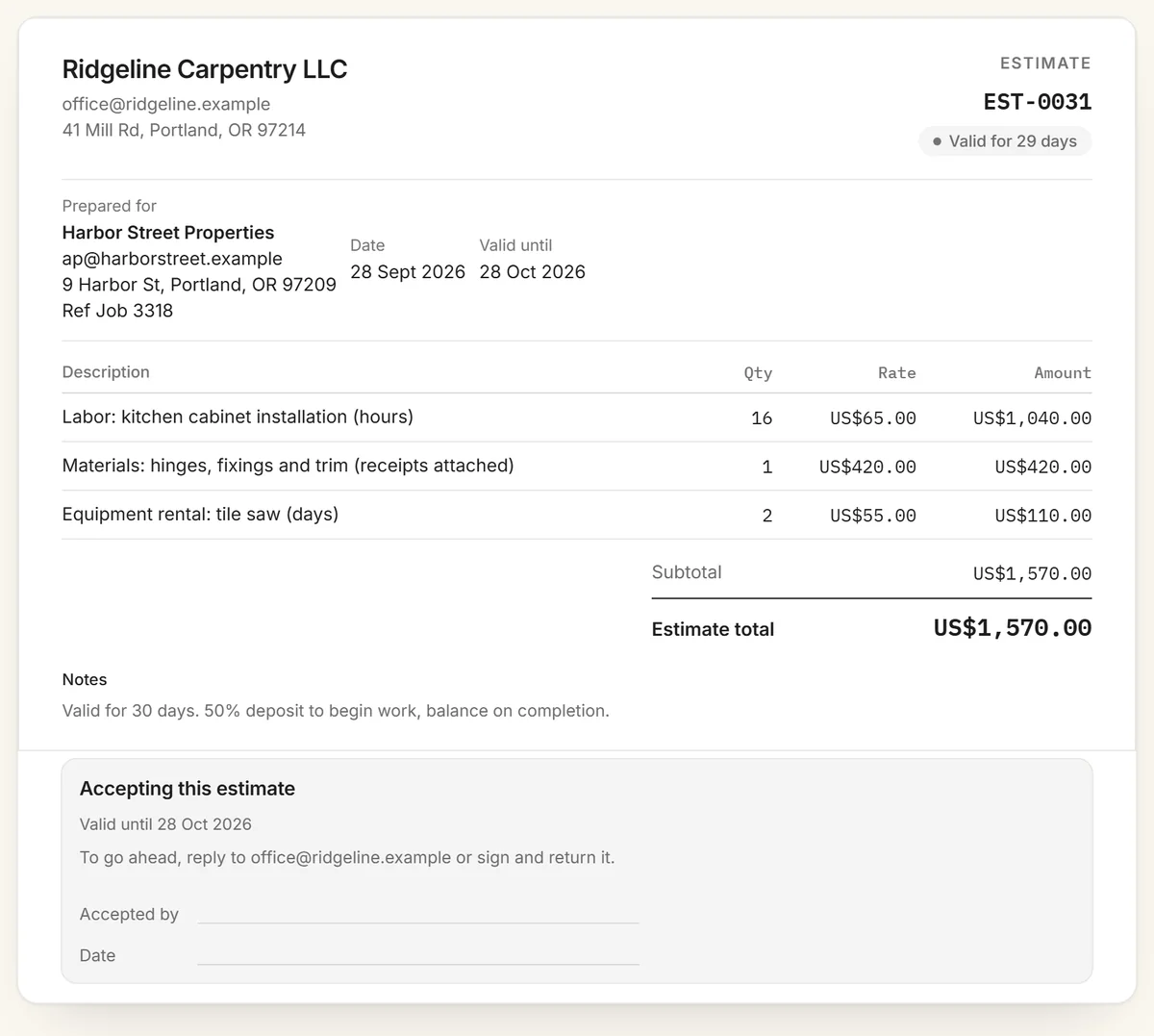
A sample estimate: itemised labor and materials, a valid-until date, and a line for the client to sign.
Estimate, quote or bid?
People use the words loosely, but they mean different things. An estimate is an informed approximation, and the final bill can differ if the work changes. A quote is a fixed price for a defined scope that you stand behind for a set period. A bid is an offer made in competition with others, usually against a written specification. Choose Estimate or Quote as the title in the generator, and say which it is in the terms, because clients will hold you to a quote.
From estimate to invoice
When the client accepts, press Turn into invoice. The client, line items, tax and notes carry straight into the free invoice generator, with the estimate number as the reference, so you can add payment details and send it in seconds. For recurring trade work, the contractor invoice template and freelance invoice template keep labor and materials on separate lines, just like the estimate.
Winning more of the work you quote
Send it fast. The first detailed estimate a client receives often sets the benchmark.
Offer options when it helps, such as a basic and a complete version, as separate estimates.
Ask for a deposit on larger jobs, and state it in the terms.
Follow up a few days before the valid-until date. That date gives you a natural reason to get in touch.
Frequently asked questions
Is this estimate generator really free?
Yes. It's free with no signup, no account and no watermark, and there's no limit on how many quotes or estimates you make.
What's the difference between a quote and an estimate?
An estimate is your best guess at the cost and can change if the work changes. A quote is a fixed price for a defined scope that you commit to for a set period. The generator makes both: choose Estimate or Quote as the title, and say in the terms which it is.
What should an estimate include?
Your business and contact details, the client's name, an estimate number and date, how long the price is valid, an itemised list of work and materials with prices, any tax, the total, and terms such as the deposit and payment schedule.
How long should an estimate be valid?
Thirty days is common. Use a shorter window if your material costs change quickly, and always put an explicit valid-until date on the estimate.
Can I turn an estimate into an invoice?
Yes. When the client accepts, press Turn into invoice. The client, line items and totals carry over to the free invoice generator, where you add payment details and send it.
Is my estimate data stored anywhere?
No. Estimates are built in your browser and never uploaded. A share link carries the estimate inside the URL itself, so there is no database.