Free template · Word, Excel, PDF
Contractor invoice template
A free contractor invoice template for independent contractors, subcontractors and the trades. Download it for Word, Excel or PDF, or fill it in online. Labor, materials and equipment sit on separate lines, so your client sees exactly what they're paying for.
No signup and no email address needed. To use Google Docs or Sheets, upload the file to Google Drive and open it there.
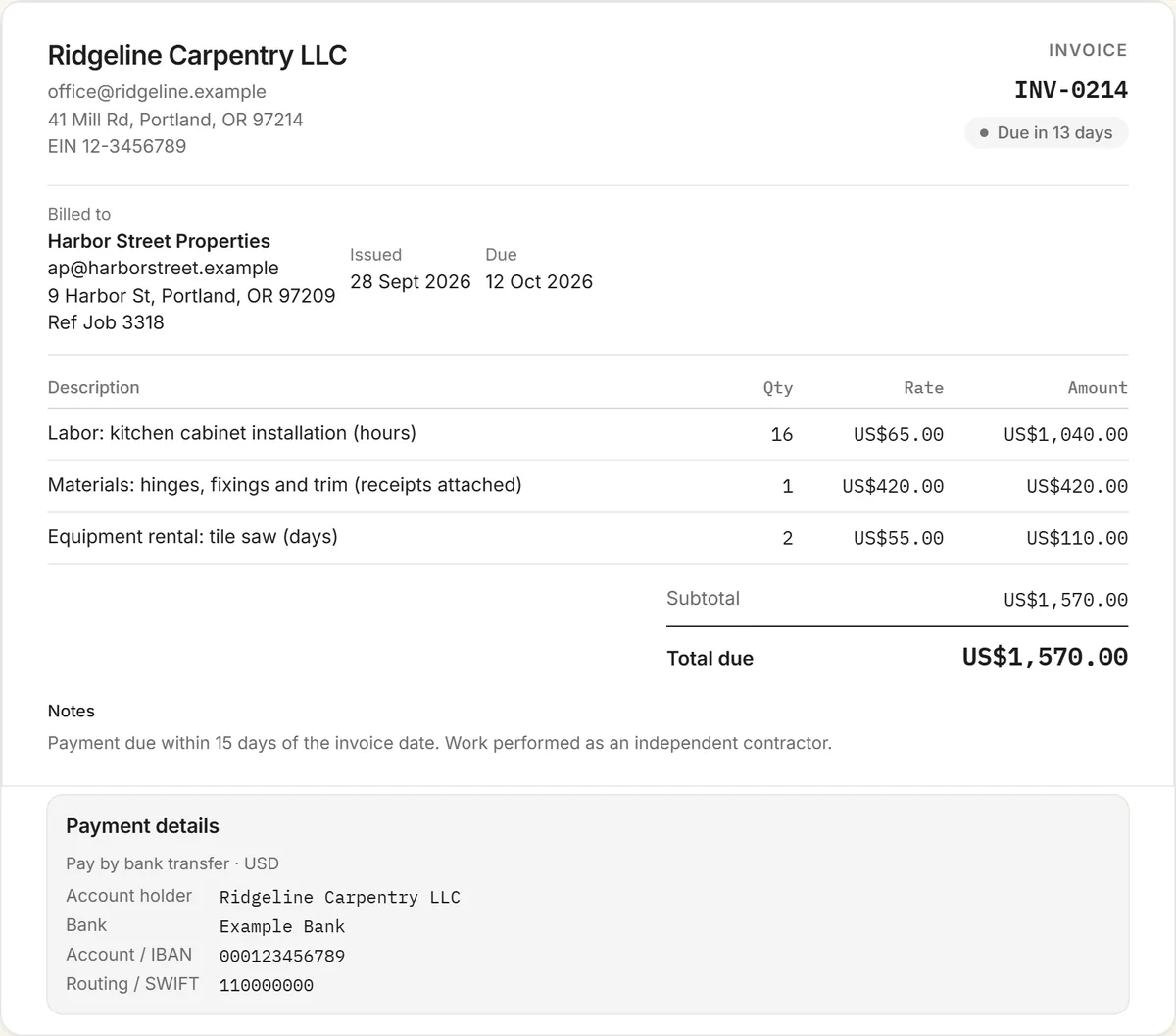
What to include on a contractor invoice
- Your business details: business name, address, phone and email, your EIN if you have one, and your contractor license number if your state or trade requires it on paperwork. Clients get your tax number on a W-9, so keep your SSN off invoices.
- The client and the job: the client's name and billing address, the job site address if it's different, and any job, contract or PO number.
- A unique invoice number, the invoice date, the due date, and the dates the work was done.
- Labor: hours × your rate, or a fixed price per phase of the work.
- Materials: listed separately, at cost or with the markup in your contract, with receipts attached if the client asked for them.
- Equipment, permits and other costs on their own lines.
- Deposits, progress payments and change orders, so the balance due is unambiguous.
- Tax where it applies (often on materials), the total due, payment terms and how to pay.
Independent contractor or subcontractor?
An independent contractor invoices the client directly. A subcontractor invoices the general contractor instead, so quote the general contractor's job or PO number and match the line items to your subcontract. Some general contractors pay only against a signed lien waiver for the amount invoiced, so check your contract and send the waiver with the invoice if it's required. The template works for both: change the "Bill to" details and the reference.
Labor, materials and progress billing
On bigger jobs, bill in stages rather than waiting for completion: a deposit up front, progress invoices at agreed milestones, and a final invoice for the balance. Each progress invoice should show the contract total, what's been billed before, and what's due now. If your contract holds back a percentage until the work is signed off (retainage), show it as its own line so it doesn't look like a short payment.
How to fill in the template
- Replace the bracketed fields with your business details and the client's, and add the job or PO number.
- Number the invoice and set the invoice date, due date and dates of work.
- Edit the example lines for labor, materials and equipment. The Excel version totals them for you.
- Subtract any deposit or earlier progress payment, and add tax if it applies.
- Add your payment details, save as PDF and send it with any receipts or lien waiver.
Or fill it in online: the free invoice generator opens with these contractor lines ready to edit and exports a PDF or a share link.
Taxes and 1099s
As an independent contractor in the US, no one withholds tax from your payments, so keep a copy of every invoice for your own records and estimated taxes. Clients usually ask for a W-9 before they pay you, and some will send a 1099-NEC at year end. Many won't, which is why your own invoice records matter.
Getting paid on time
- State the terms on the invoice, for example "Due within 15 days", and put a real due date on it.
- Offer more than one way to pay. Bank transfer, card through a free RivitPay account, or USDC for clients who prefer it.
- Know your rights when it's late. Many places now set payment deadlines by law. See your unpaid invoice might have a law behind it.
More invoice templates and tools
Also free: the freelance invoice template, invoice template for Google Docs & Sheets, influencer invoice template, content creator invoice template, and every invoice template in one place. The free invoice generator handles any kind of invoice, and the crypto invoice generator is for clients paying in stablecoins.
Frequently asked questions
Is this contractor invoice template free?
Yes. The Word, Excel and PDF versions are free to download with no signup or email address, and you can also fill it in online with the free invoice generator.
Can I use it in Google Docs or Google Sheets?
Yes. Upload the Word file to Google Drive and open it with Google Docs, or upload the Excel file and open it with Google Sheets. The totals formulas keep working in Sheets.
What should a contractor invoice include?
Your business details and license number if required, the client and job details, a unique invoice number and dates, separate lines for labor, materials and equipment, any deposits or progress payments, tax where it applies, the total due, and how to pay.
How do I invoice for materials?
List materials on their own lines, either at cost or with the markup your contract allows, and attach receipts if the client asked for them. Keeping materials separate from labor makes the invoice easier to approve.
What's the difference between a contractor and a subcontractor invoice?
An independent contractor bills the client directly. A subcontractor bills the general contractor, quotes their job or PO number, and may need to include a lien waiver for the amount invoiced.