Free template · Word, Excel, PDF
Freelance invoice template
A free freelance invoice template you can download for Word, Excel or PDF, or fill in online and send in about a minute. It covers everything a client's accounts team needs to pay you: your hours or fixed fees, your details, payment terms and exactly how to pay.
No signup and no email address needed. To use Google Docs or Sheets, upload the file to Google Drive and open it there.
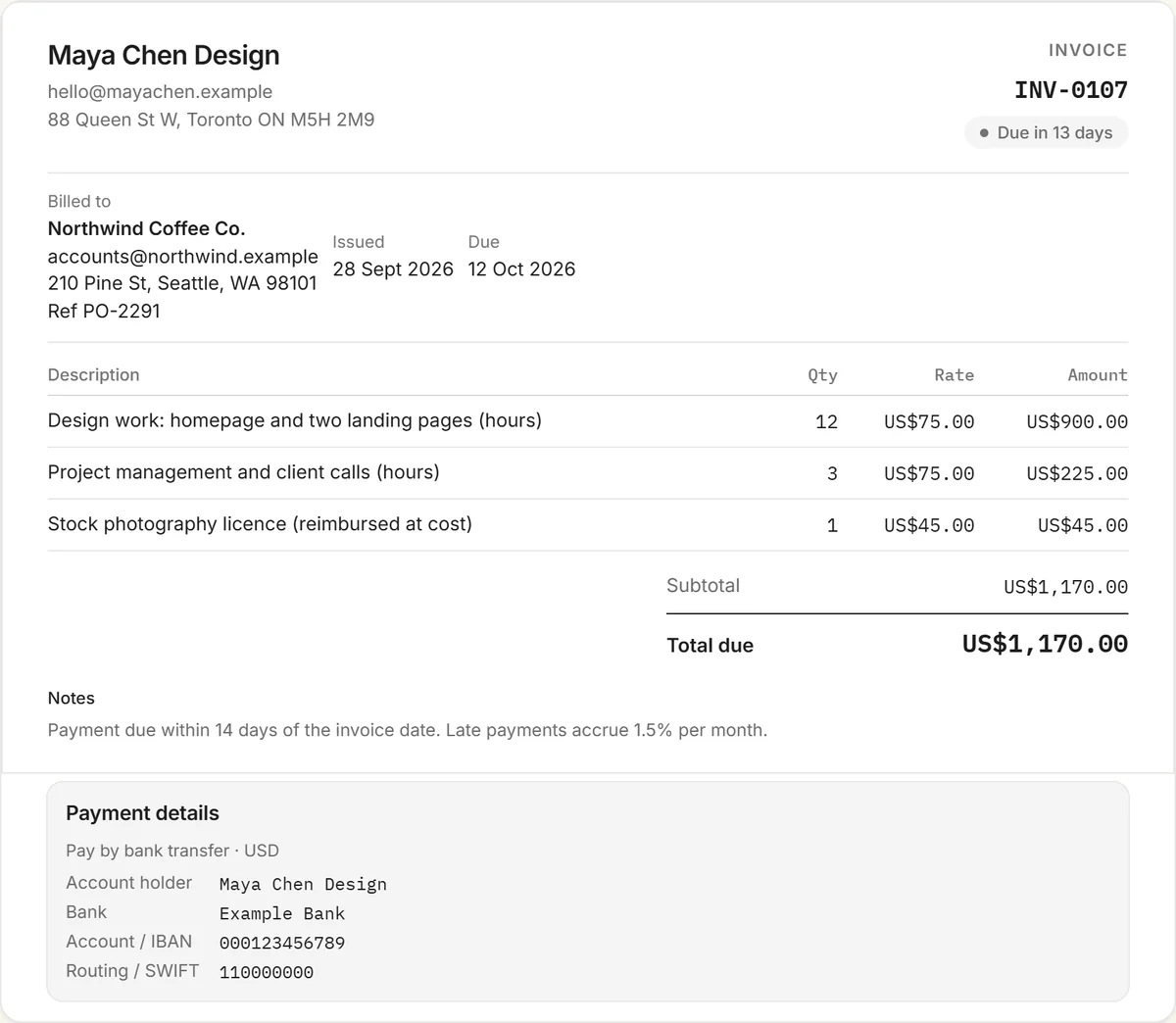
What to include on a freelance invoice
- Your details: your name or business name, email, address, and a tax or VAT number if you're registered for one.
- Your client's details: their legal business name and billing address, plus their purchase order (PO) number if they gave you one. Many companies can't pay an invoice without it.
- A unique invoice number, the invoice date, the due date, and the date or period the work was done.
- One line per piece of work: hours × your hourly rate, or a fixed fee per deliverable or milestone.
- Expenses you're passing on, such as stock assets, software or travel, on their own lines at cost unless you agreed a markup.
- The total due and its currency, with any tax shown separately.
- Payment terms and how to pay: when it's due, your bank details, and any other way you accept payment.
Hourly or fixed fee?
Bill the way you quoted. For hourly work, list the hours and the rate, and group them by task or week so the client can see where the time went. For fixed-fee projects, use one line per deliverable or milestone rather than one lump sum, so it's obvious what's been delivered. If the client paid a deposit, show it as a separate line ("Less deposit received") so the balance is clear. Work that grew beyond the brief belongs on the invoice too: scope creep is just unbilled work.
How to fill in the template
- Replace everything in brackets with your details and your client's.
- Give the invoice the next number in your sequence and set the issue and due dates.
- Edit the example lines: describe the work, then enter hours or quantity and your rate. The Excel version totals everything for you.
- Add your bank details, and a USDC wallet address if you accept stablecoins.
- Save it as a PDF and email it, ideally the day the work is delivered.
Or skip the file: the free invoice generator opens with this template already filled in, does the maths, and gives you a PDF or a share link.
Self-employed in the UK?
The same template works as a self-employed invoice. HMRC expects a sole trader's invoice to show a unique invoice number, your name or business name and address, your customer's name and address, a clear description of what you're charging for, the date of the work and the invoice date, the amount charged, and the total owed. You only add VAT if you're VAT-registered, in which case your VAT number and the VAT breakdown must appear too.
Getting paid faster
- Use short terms. 7 or 14 days, not 30. Nobody actually pays in 30 days, and a shorter window sets expectations early.
- Invoice on delivery. An invoice sent the day the work lands gets paid sooner than one sent at month end.
- Make paying easy. Clients abroad or in crypto can pay in USDC: the template has a wallet line, and the crypto invoice generator adds a payment QR code.
- Automate the follow-up. A free RivitPay account shows when the client opens your invoice and sends reminders when it's overdue. Chasing invoices is a part-time job you don't need.
More invoice templates and tools
Also free: the contractor invoice template, invoice template for Google Docs & Sheets, influencer invoice template, content creator invoice template, and every invoice template in one place. The free invoice generator handles any kind of invoice, and the crypto invoice generator is for clients paying in stablecoins.
Frequently asked questions
Is this freelance invoice template free?
Yes. The Word, Excel and PDF versions are free to download with no signup or email address, and you can also fill it in online with the free invoice generator.
Can I use it in Google Docs or Google Sheets?
Yes. Upload the Word file to Google Drive and open it with Google Docs, or upload the Excel file and open it with Google Sheets. The totals formulas keep working in Sheets.
What should a freelance invoice include?
Your name and contact details, your client's details and PO number, a unique invoice number, the invoice and due dates, a line for each piece of work with hours and rate or a fixed fee, any expenses, the total due, and how to pay you.
Should I bill by the hour or by the project?
Bill the way you quoted. Hourly work lists hours and a rate, grouped by task or week. Fixed-fee work lists one line per deliverable or milestone, with any deposit shown as a separate deduction.
Do I need to charge tax as a freelancer?
It depends on where you work and whether you're registered. In the UK you only add VAT once you're VAT-registered. In the US most freelance services aren't subject to sales tax, but some states tax certain services, so check your state's rules.