Rivit Invoices for Android
A free invoicing app for Android
Rivit Invoices is an invoicing app for Android phones, on Google Play. You make invoices and estimates on your phone, send them by email or link, and your client pays by card into your own Stripe account. The free plan has no invoice limit and no monthly charge.

Free to download. Make your first invoice before you sign up; you only need an account to send it.
What the app does
Invoices and estimates, no cap
Add items, quantities, tax and a discount, and watch the total update. Your business details fill in on every new invoice.
Send it your way
Email the invoice from the app, or share its link through Android's share menu to Gmail, Messages, WhatsApp or any other app. Download a PDF if a client wants one.
Card payments to your bank
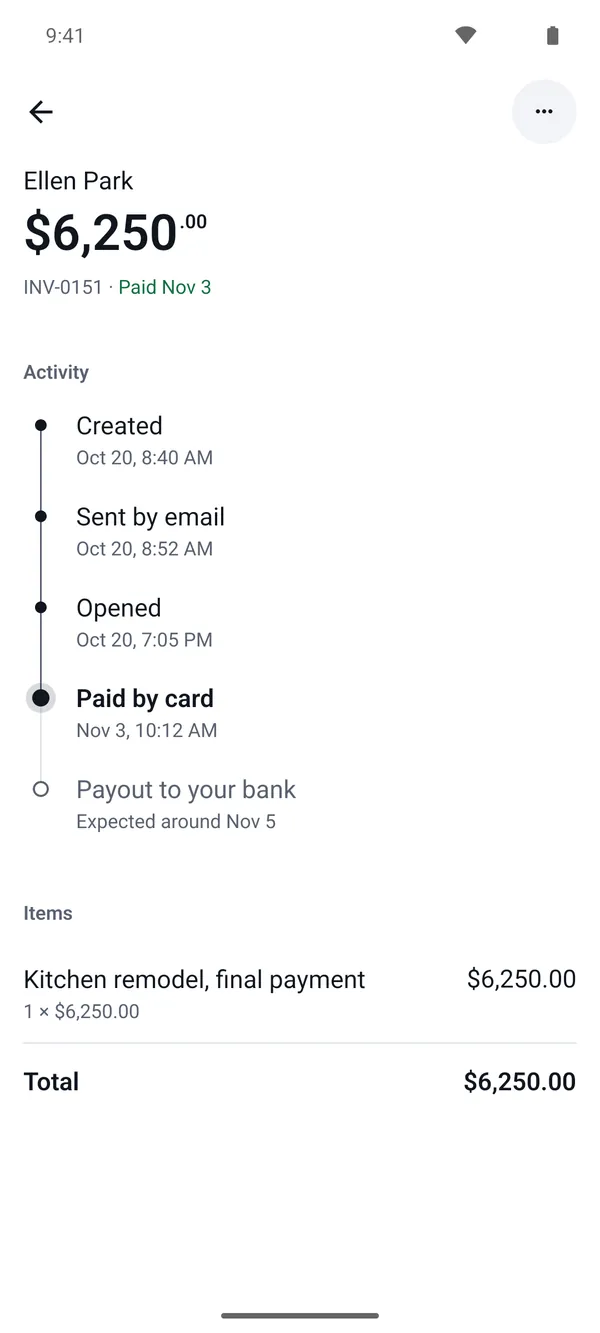
With Stripe connected, every invoice has a Pay by card button, and the money goes to your own Stripe account, then your bank. Clients can also pay by bank transfer, and you can mark cash as paid.
Know where every invoice stands
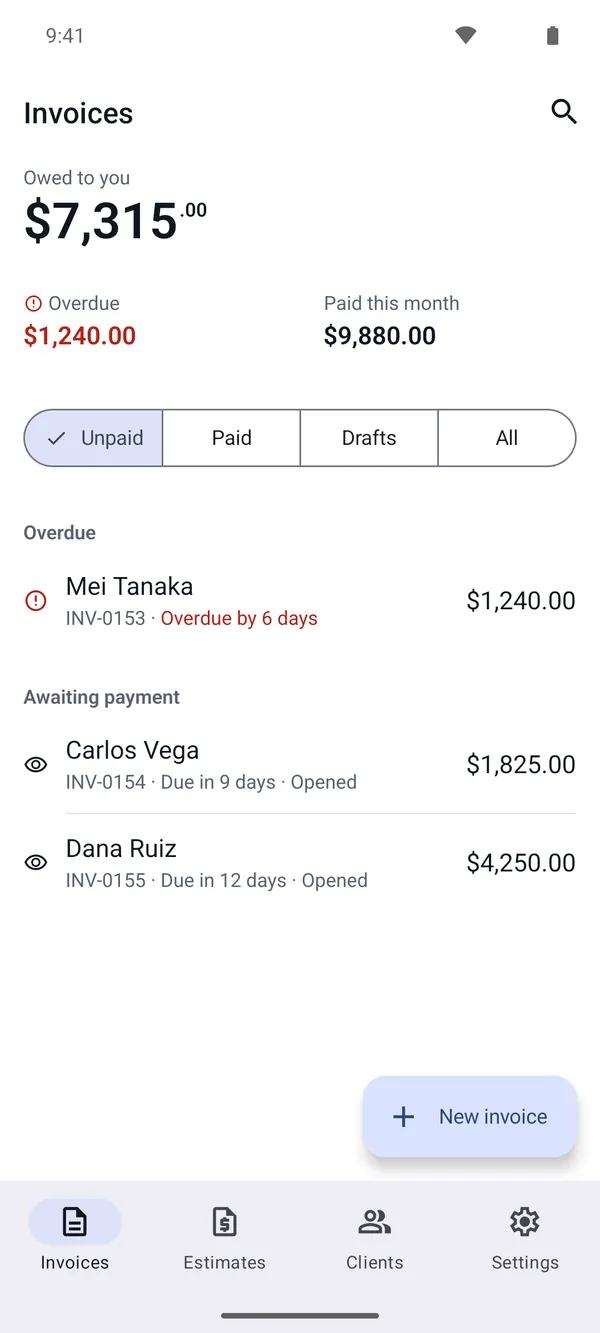
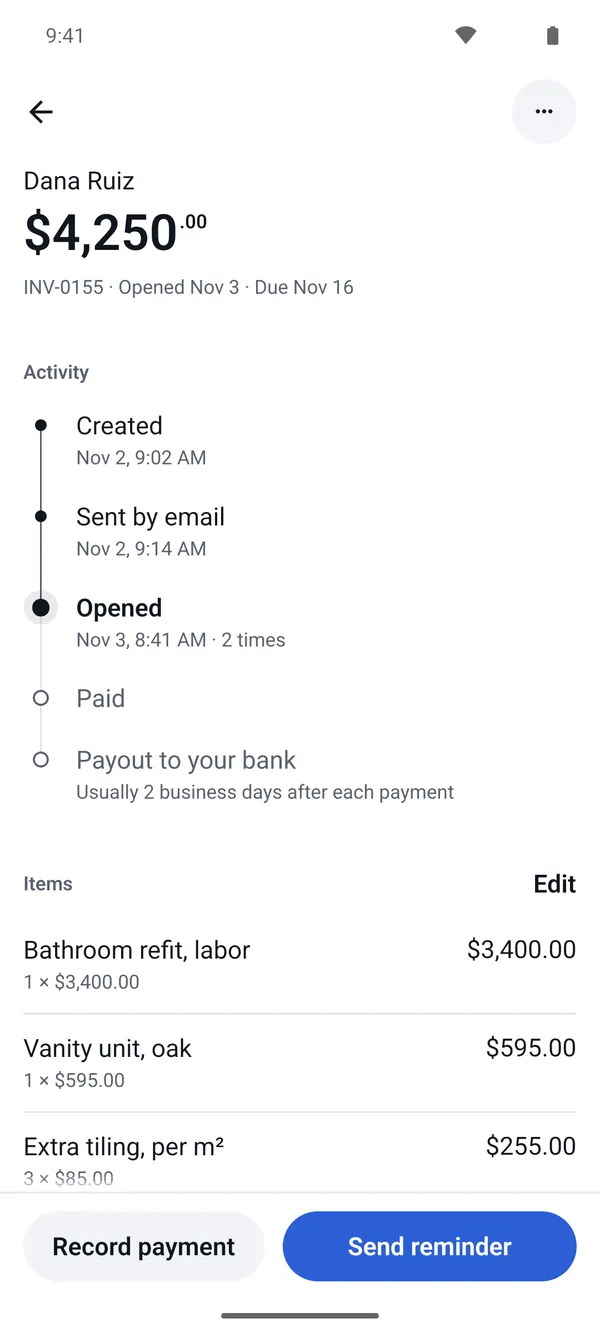
The invoice list shows what you're owed, what's overdue and what's been opened. You get a notification when a client opens or pays.
Reminders in one tap
Send a payment reminder with one tap. Pro sends them for you on a schedule and stops when the invoice is paid.
From estimate to invoice
When a client says yes to an estimate, turn it into an invoice in one tap. UK, Irish, Australian and New Zealand phones say “quote”.
No signal, no problem
Drafts save on your phone, so you can write the invoice at the job and send it when you're back online.
Looks like your business
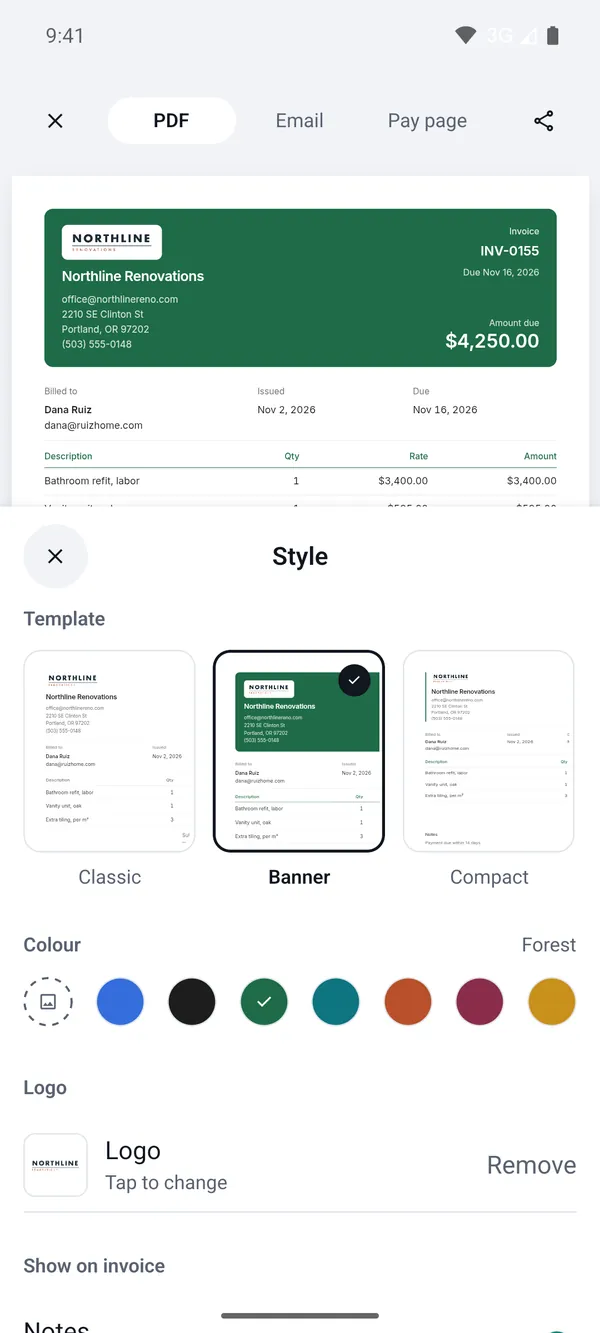
Add your logo, choose the Classic, Banner or Compact layout and a colour, and bill in any of 13 currencies. Sign in with Google, Apple or your email.
How to make an invoice on an Android phone
- Install Rivit Invoices from Google Play and open it. You can start without an account.
- Tap New invoice, then choose a client or add one.
- Add each item with a quantity and price, plus tax or a discount if you need them.
- Set the due date and currency, and preview the invoice as your client will see it.
- Tap Send. Email it from the app or share the link. The first time, you sign in with Google, Apple or your email. With Stripe connected, your client pays by card from the invoice.
What it costs
Free
Everything above, with no limit on invoices or estimates. When a client pays by card, Rivit Invoices takes 0.65% of the payment and Stripe takes its usual processing fee. Bank transfers and cash cost nothing.
Pro
- No Rivit Invoices fee on card payments
- Payment reminders sent for you on a schedule
- No “Sent with Rivit Invoices” line on your invoices
An optional subscription, weekly or yearly, each with a free trial. Google Play shows the price in your currency before you buy.
How it compares with other Android invoicing apps
Most invoice makers on Google Play either cap the number of invoices on their cheaper plans or ask for a subscription after a trial. Here are the main ones side by side, for one person sending invoices.
| App | Free to use? | How many invoices | Card fee to you (US) |
|---|---|---|---|
| Rivit Invoices | Yes. Free plan, optional Pro. | No limit on any plan. | Stripe's 2.9% + 30¢, plus 0.65% on the free plan. Pro: Stripe's fee only. |
| Invoice Simple | No. A 7-day trial, then a subscription. | 3 a month on Essentials ($6.99 a month), 10 on Plus ($14.99), no limit on Premium ($21.99). | Not listed on its pricing page. |
| Invoice2go | No. 30 days free, then a subscription. | 30 a year on Starter ($7.99 a month), 100 on Professional ($11.99). | 3.5% on Starter, 3.0% on Professional. |
| Zoho Invoice | Yes. Completely free. | 500 a year, with “Powered by Zoho Invoice” on each. | Your payment provider's fee. Zoho's pricing page lists no fee of its own. |
| Square Invoices | Yes. Free plan, paid plans add features. | No limit. | 3.3% + 30¢ on the free plan. |
US prices and limits from each company's store listing or pricing page, checked 5 November 2026: Invoice Simple, Invoice2go, Zoho Invoice, Square, Rivit Invoices. They change often, so check before you subscribe.
Where other apps do more
Zoho Invoice is completely free and includes expenses and time tracking. Invoice Simple adds deposits, recurring invoices and expense tracking. Square Invoices is the natural pick if you already take card payments in person with Square. Rivit Invoices is for getting an invoice out from your phone and paid, with no cap on how many you send.
Requirements and details
| Works on | Android phones, from Google Play |
|---|---|
| Price | Free, with an optional Pro subscription (see what it costs) |
| Sign in | Google, Apple or a code sent to your email |
| Card payments | Through your own Stripe account. Payouts go to your bank on Stripe's schedule. |
| Currencies | 13: USD, CAD, GBP, EUR, AUD, NZD, SGD, MYR, PHP, INR, ZAR, AED and JPY |
| Offline | Drafts save on your phone with no signal |
| Language | English. UK, Irish, Australian and New Zealand phones see “quote” for estimate. |
| On the web | The same account works at dashboard.rivitpay.com |
| iPhone | On the App Store (Rivit Invoices for iPhone) |
| Made by | Red Bridge Network Inc., Toronto, Canada. Help: support |
Frequently asked questions
Is there a free invoicing app for Android?
Yes. Zoho Invoice and Square Invoices have free plans on Google Play, and Rivit Invoices has a free plan that has no invoice limit. Invoice Simple and Invoice2go ask for a subscription once their trials end.
How do I make an invoice on my Android phone without an app?
Open a free invoice generator in Chrome, such as rivitpay.com/invoice-generator, fill in your details and items, and download a PDF or share a link. Google Docs and Sheets have invoice templates too, but they can't send the invoice, show when it's opened or take a card payment.
Does my client need an app to pay?
No. They open the invoice from your email or link in any browser and pay by card, with no app and no account.
Where does the money go?
Card payments go into your own Stripe account and then to your bank on Stripe's payout schedule. Rivit Invoices never holds the money.
Can I use one account on Android, iPhone and the web?
Yes. The same account works in the Android app, the iPhone app and at dashboard.rivitpay.com.
Does it work offline?
Drafts save on your phone with no connection, so you can write an invoice anywhere and send it when you're back online.