Free template · Google Docs, Sheets, PDF
Invoice template for Google Docs & Sheets
A free, clean invoice template that opens in Google Docs, plus a Google Sheets version that adds up the totals for you. Or skip the copy-and-paste: fill the same invoice in online, and download it with your details, totals and payment information already in place.
Free, no signup, no email address. The steps below show how to open each file in Google Docs or Sheets.
The faster way: fill it in here
Most people who search for a Google Docs invoice template want one thing: a professional invoice they can send today. The free invoice generator opens with this template already loaded. Type over the example lines and it does the maths, formats the currency and lays out your bank details. Then download a PDF with everything filled in, or send a share link. There's no fighting with table borders, and no formula to break.
How to open the template in Google Docs
- Download the Google Docs version above. It's a .docx file.
- Go to Google Drive and choose New → File upload, then pick the file.
- Double-click it in Drive and choose Open with → Google Docs.
- Choose File → Save as Google Docs to get an editable copy in Docs format.
- Replace everything in brackets, and edit the example lines and totals.
- When it's ready, choose File → Download → PDF document and email the PDF, not the editable document.
How to open it in Google Sheets
Upload the Google Sheets version to Drive the same way and open it with Google Sheets. The shaded cells are the ones to edit. Each line's amount, the subtotal, tax and total due calculate automatically. Choose File → Download → PDF to send it. Keep the sheet as your master copy and duplicate the tab for each new invoice, so your numbering stays in order.
What's in the template
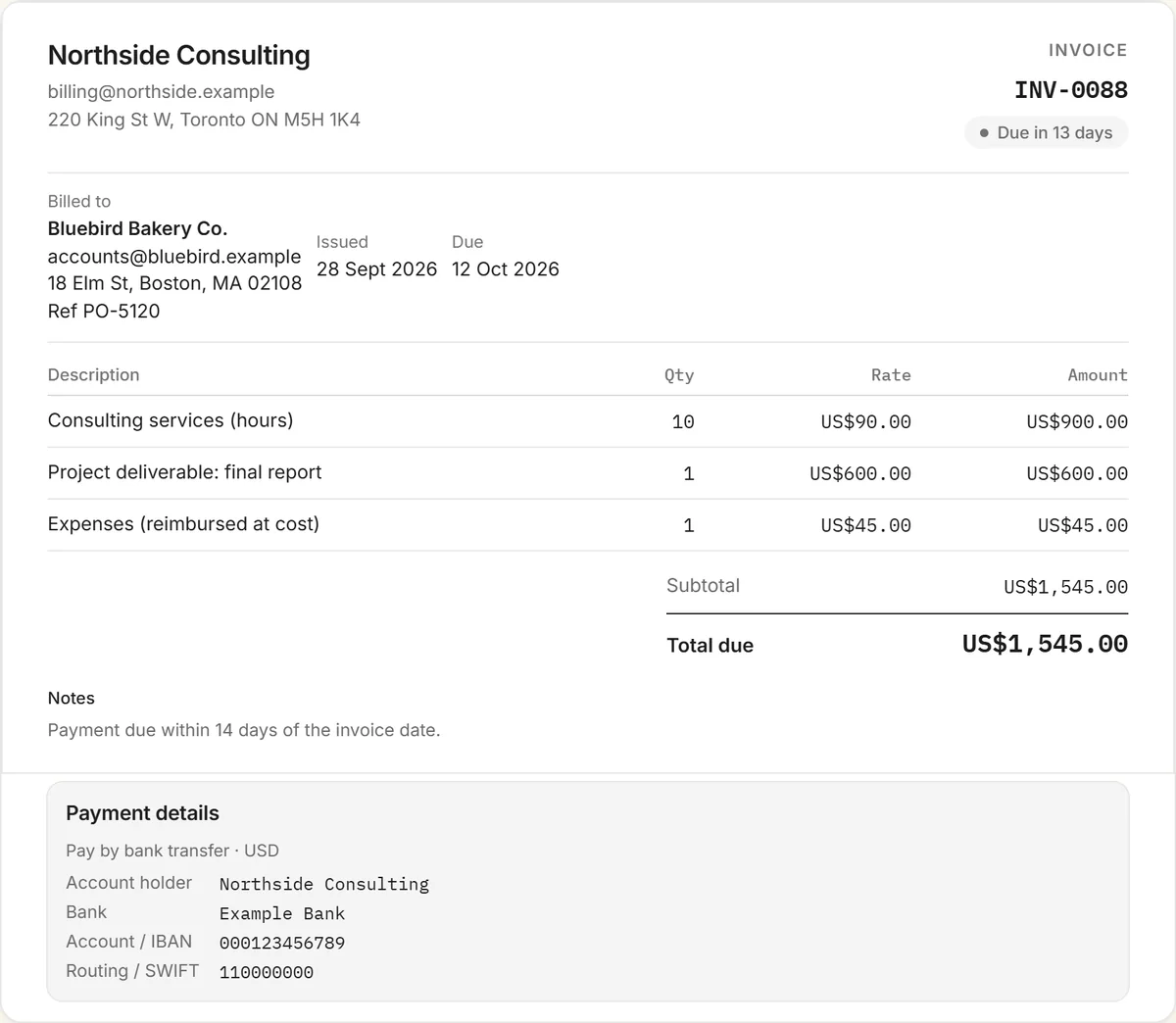
- Your business details and an invoice number, issue date, due date and PO reference.
- A bill-to block for your client.
- A line-item table with quantity, rate and amount, plus subtotal, tax and total due.
- Payment instructions for bank transfer, with an optional USDC line.
- Notes and terms, pre-filled with 14-day payment terms you can change.
Tips for invoicing from Google Docs
- Send a PDF, not a link to the Doc. A shared document can be edited, and it looks less final.
- Keep your numbering in sequence. INV-001, INV-002 and so on. Never reuse a number.
- Name files consistently, for example "INV-042 Bluebird Bakery.pdf", so they're easy to find at tax time.
- Put a real due date on it. "Due 14 October" gets paid sooner than "Net 30".
More invoice templates and tools
Also free: the freelance invoice template, contractor invoice template, influencer invoice template, content creator invoice template, and every invoice template in one place. The free invoice generator handles any kind of invoice, and the crypto invoice generator is for clients paying in stablecoins.
Frequently asked questions
Is this Google Docs invoice template free?
Yes. The Google Docs, Google Sheets and PDF versions are free to download with no signup, and you can also fill the same invoice in online and download it as a PDF.
How do I open the invoice template in Google Docs?
Download the Google Docs version, upload it to Google Drive, open it with Google Docs, then choose File, then Save as Google Docs to get an editable copy.
Does the Google Sheets version calculate totals?
Yes. Each line's amount, the subtotal, tax and total due are formulas, so they update as you type quantities and rates.
How do I send an invoice from Google Docs?
Choose File, then Download, then PDF document, and email the PDF to your client. Sending a PDF rather than a link to the document keeps the invoice from being edited.
Is there a faster way than using a template?
Yes. The free RivitPay invoice generator opens with this template loaded, does the totals for you, and downloads a finished PDF with your details, or gives you a share link to send.