Free template · Word, Excel, PDF
Graphic design invoice template
A free graphic design invoice template for logos, brand identities, print and digital work. Bill by project or by the hour, show what the revision rounds covered, and make the transfer of usage rights depend on payment.
No signup and no email address needed. To use Google Docs or Sheets, upload the file to Google Drive and open it there.
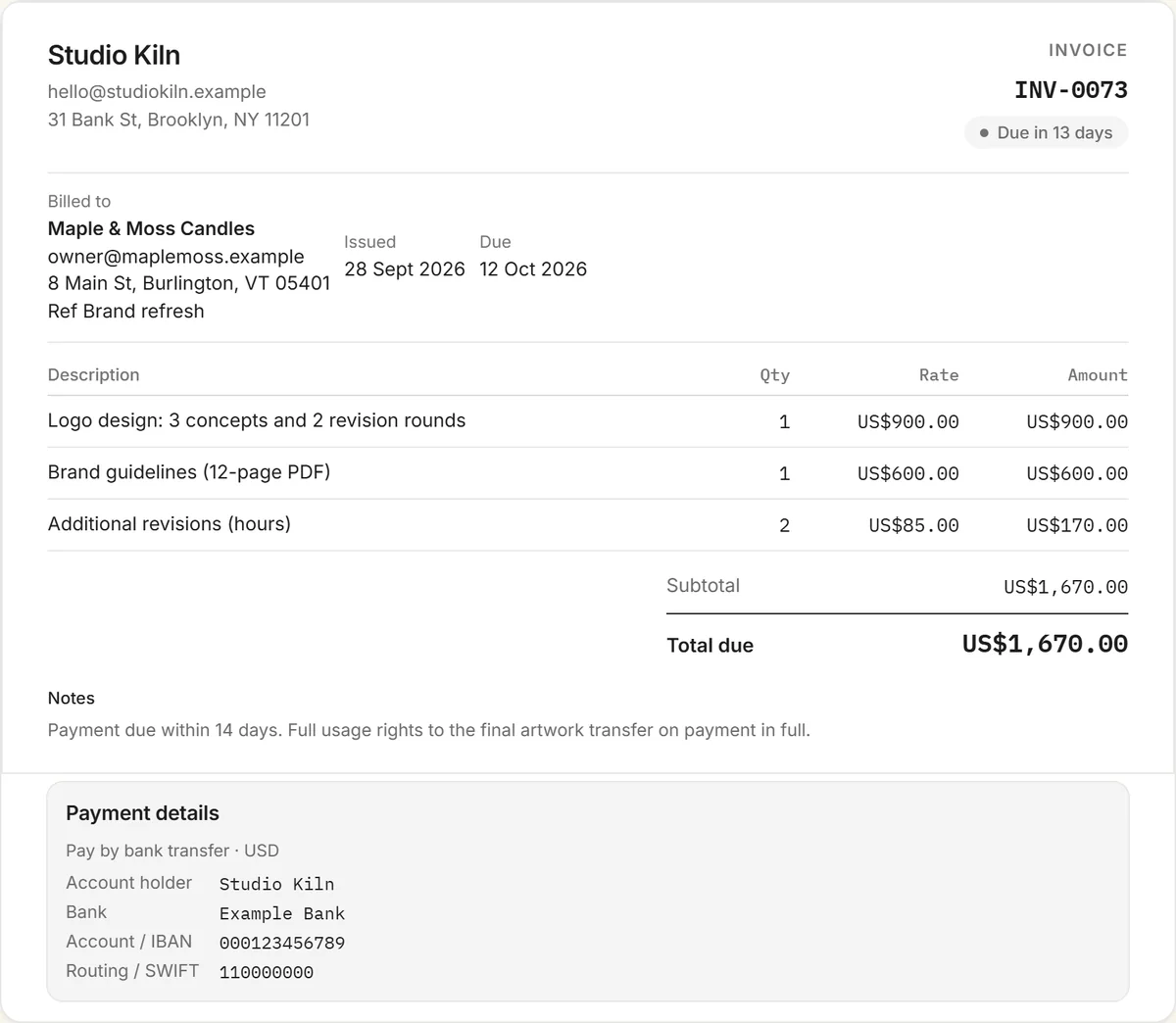
What to include on a graphic design invoice
- Your studio or name, contact details and tax number if registered.
- The client and project name, and a PO number if they use one.
- Each deliverable on its own line, such as logo design, brand guidelines or social templates, with what's included (for example, "3 concepts, 2 revision rounds").
- Extra revisions beyond the agreed rounds, at your hourly rate.
- Licensed assets like fonts, stock images or mockups, at cost or as agreed.
- Usage rights: what the client may do with the work, and when the rights transfer.
- Payment terms, any deposit already paid, and how to pay.
Project fee or hourly?
Identity and logo work is usually quoted as a project fee with a set number of concepts and revision rounds. Ongoing production work, such as social graphics or presentation updates, often works better hourly or as a monthly retainer. Whichever you use, the invoice should match the estimate the client approved. Start with the quote & estimate generator and turn the accepted estimate into an invoice in one click.
Usage rights and final files
A common, fair approach is that the client receives full usage rights, or copyright where that's agreed, once the invoice is paid in full. Say so in the notes. It protects you if payment stalls, and clients rarely object to something so reasonable. Keep source files and the final handover separate if your contract prices them separately.
Deposits and late payment
Taking a deposit of a third to a half on bigger identity projects is common. It commits the client and covers your early concept work. Invoice the balance on delivery with short terms, and follow up promptly. A free RivitPay account sends reminders for you when an invoice goes overdue.
More invoice templates and tools
Also free: the influencer invoice template, content creator invoice template, UGC invoice template, sponsorship invoice template, and every invoice template in one place. The free invoice generator handles any kind of invoice, and the crypto invoice generator is for clients paying in stablecoins.
Frequently asked questions
Is this graphic design invoice template free?
Yes. Download it free for Word, Excel or PDF with no signup, or fill it in online with the free invoice generator and download a PDF with your details.
What should a graphic design invoice include?
Your details, the client and project name, each deliverable with the concepts and revision rounds included, extra revisions, licensed fonts or stock, usage rights, payment terms, any deposit paid, and how to pay.
Should I charge for extra revisions?
Yes, once the client goes past the revision rounds included in your quote. Bill them on their own line at your hourly rate, so it's clear the original fee covered the agreed rounds.
When do usage rights transfer to the client?
A common approach is that usage rights, or copyright where agreed, transfer once the invoice is paid in full. State this in the invoice notes and your contract.
Should I take a deposit for design work?
For larger projects many designers take a third to a half up front, then invoice the balance on delivery.