Free template · Word, Excel, PDF
Videographer invoice template
A free videographer invoice template for events, weddings, brand films and corporate work. Separate the shoot from the edit, list add-ons like drone footage and licensed music, and tie payment to delivery.
No signup and no email address needed. To use Google Docs or Sheets, upload the file to Google Drive and open it there.
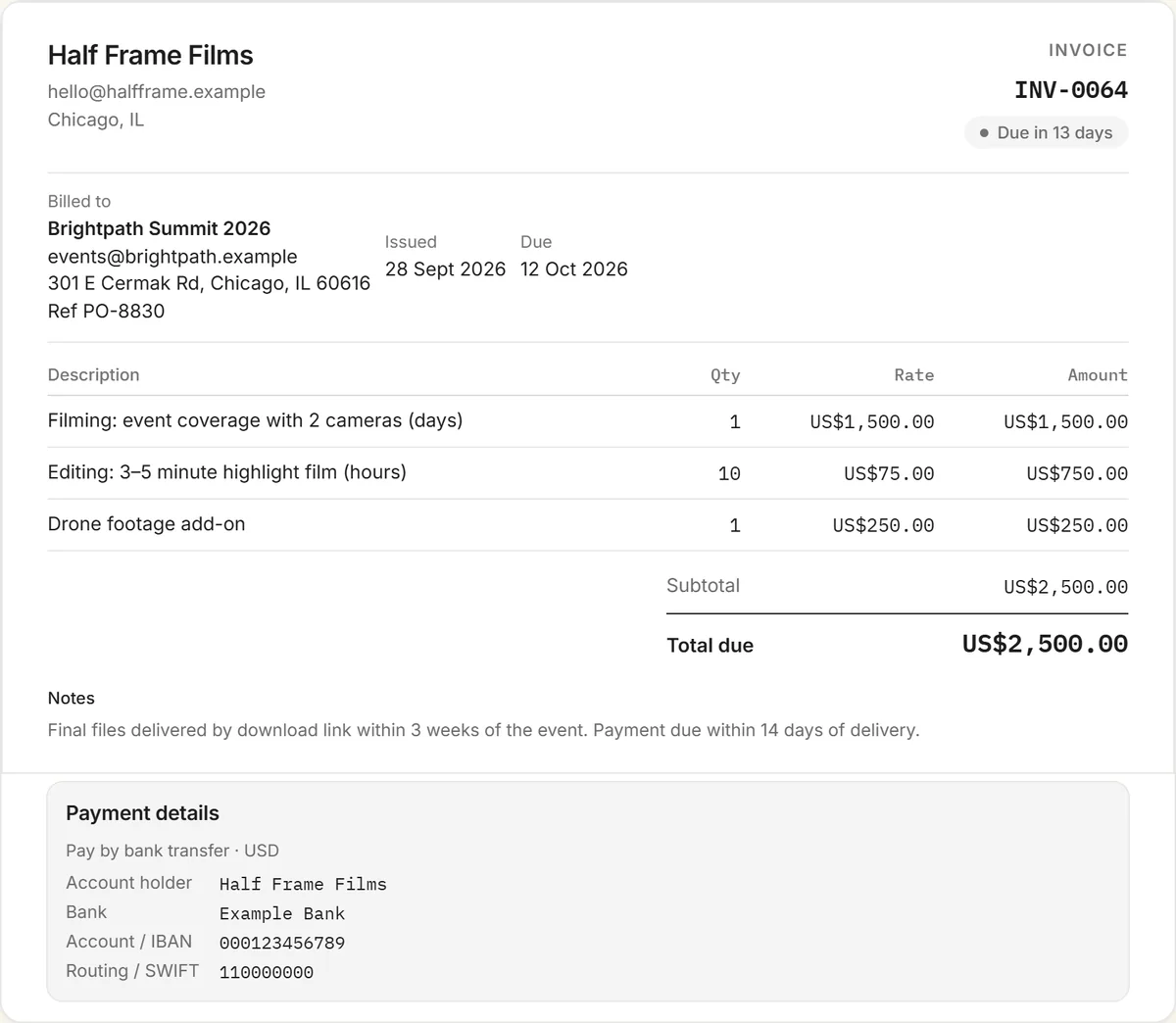
What to include on a videographer invoice
- The shoot: date, location, and half-day or full-day rate, with crew and cameras.
- Equipment beyond your standard kit, such as extra lighting, gimbals or rentals.
- Editing: hours × rate, or a fixed price per deliverable.
- Deliverables: a highlight film, full-length edit, social cut-downs, and their lengths and formats.
- Add-ons: drone footage, a second shooter, licensed music, color grading, subtitles or rush delivery.
- Travel and accommodation if the shoot is out of town.
- Revisions beyond the rounds included.
- Deposit received, balance due and how to pay.
Shoot versus edit
Clients understand a day rate for filming. Editing is where time is easy to underestimate, so bill it separately, by the hour or per deliverable, and say how many revision rounds are included. If the client adds deliverables after the shoot, such as an extra social cut, add them as new lines rather than absorbing the time.
Licensed music and raw footage
Commercial music licences are a real cost, and the licence often limits where the film can be used. List them on the invoice at cost or as agreed. Raw footage is usually a separate, paid deliverable, since it lets the client re-edit your work. Say whether it's included.
Deposits and delivery
A deposit to book the date is standard for event work, with the balance due on or before delivery of the final files. Delivering through a download link only after payment is a simple, fair way to avoid chasing. For corporate clients on 30-day terms, send the invoice the day you deliver.
More invoice templates and tools
Also free: the influencer invoice template, content creator invoice template, UGC invoice template, sponsorship invoice template, and every invoice template in one place. The free invoice generator handles any kind of invoice, and the crypto invoice generator is for clients paying in stablecoins.
Frequently asked questions
Is this videographer invoice template free?
Yes. Download it free for Word, Excel or PDF with no signup, or fill it in online with the free invoice generator and download a PDF with your details.
What should a videographer invoice include?
The shoot date, location and day rate, extra equipment, editing hours or deliverable prices, add-ons like drone footage or licensed music, travel, extra revisions, any deposit received, the balance due, and how to pay.
Should I bill filming and editing separately?
Yes. A day rate covers the shoot, and editing is billed by the hour or per deliverable with a set number of revision rounds, which keeps extra editing work visible.
Do I charge extra for raw footage?
Often, yes. Raw footage lets the client re-edit your work, so many videographers price it as a separate deliverable. State on the invoice whether it's included.
When should a client pay a videographer?
Typically a deposit to book the date and the balance on or before delivery of the final files, often shared by download link once the invoice is paid.