Free template · Word, Excel, PDF
DJ invoice template
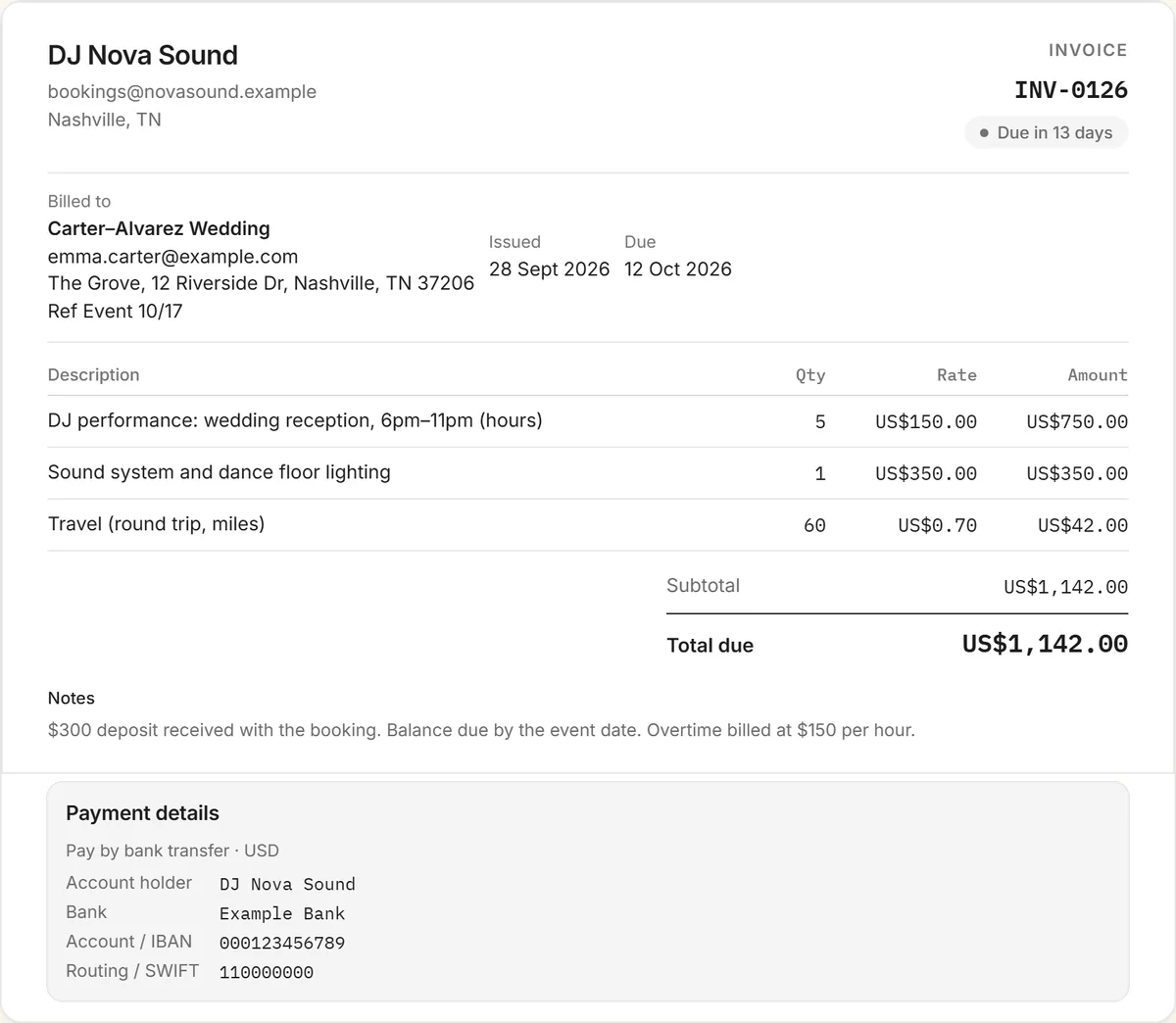
A free DJ invoice template for weddings, clubs, corporate events and parties. List your set time, equipment and travel, record the deposit, and state your overtime rate before the night, not after.
No signup and no email address needed. To use Google Docs or Sheets, upload the file to Google Drive and open it there.
What to include on a DJ invoice
- The event: date, venue and your start and finish times.
- Performance time as hours × your rate, or a set fee for the booking.
- Equipment: sound system, lighting, uplighting, extra speakers or a second setup for the ceremony.
- Extras such as MC services, ceremony music or custom edits.
- Travel by mileage or a flat fee, plus parking or accommodation if agreed.
- Your overtime rate, per hour or half hour.
- The deposit received and the balance due, with its due date.
Deposits and balances
Most DJs take a deposit to hold the date, either a fixed amount or a percentage of the fee, and ask for the balance before or on the event day. Send an invoice for the deposit when the client books. Then send a final invoice that shows the full fee, notes the deposit already received, and asks for the balance. Say in your terms whether the deposit is refundable if the event is cancelled.
Overtime
Parties run late. Agree an overtime rate up front and print it on the booking invoice. If the client asks you to play on, add the extra time to the final invoice at that rate, or send a short follow-up invoice the next day.
Getting paid
Asking for the balance before the event is common and avoids chasing a newly married couple on their honeymoon. Offer easy ways to pay: bank transfer, card through a free RivitPay account, or USDC. For regular club residencies, bill each month as a recurring invoice.
More invoice templates and tools
Also free: the influencer invoice template, content creator invoice template, UGC invoice template, sponsorship invoice template, and every invoice template in one place. The free invoice generator handles any kind of invoice, and the crypto invoice generator is for clients paying in stablecoins.
Frequently asked questions
Is this DJ invoice template free?
Yes. It's free to download for Word, Excel or PDF with no signup, or fill it in online with the free invoice generator and download a PDF with your details.
What should a DJ invoice include?
The event date, venue and times, your performance hours or set fee, equipment and extras, travel, your overtime rate, any deposit received, the balance due with a due date, and how to pay.
How much deposit should a DJ take?
Many DJs take a fixed amount or a percentage of the fee to hold the date. Whatever you choose, invoice it on booking and state whether it's refundable if the event is cancelled.
How do I bill overtime?
Agree an overtime rate before the event and print it on the booking invoice. Add any extra time to the final invoice at that rate, or send a short follow-up invoice after the event.
When should the client pay the balance?
Many DJs ask for the balance before or on the event day. It's written in the terms on the invoice and avoids chasing payment afterwards.